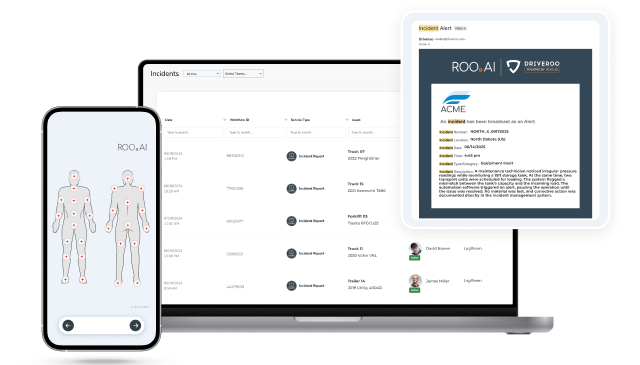


Best Digital Safety Inspection Software in 2026: Top Platforms Compared
Compare seven leading safety audit and EHS inspection platforms across twelve capabilities — from hazard capture to incident investigation, toolbox talks and AI-directed guidance — and find the one that fits how safety actually gets done on your floor.
What is Digital Safety Inspection Software?
Digital safety inspection software lets frontline workers complete workplace safety inspections, audits, and hazard checks on a mobile device. The category was built to replace paper checklists with structured, traceable digital records. It standardizes how safety checks are performed, captures hazards with photos and data, and routes issues to the people who can act on them.
The category is also referred to as safety audit software, EHS inspection software, mobile safety checklist apps, or workplace safety management software. It now ranges from lightweight checklist apps to AI-guided safety platforms that build prevention directly into daily work.
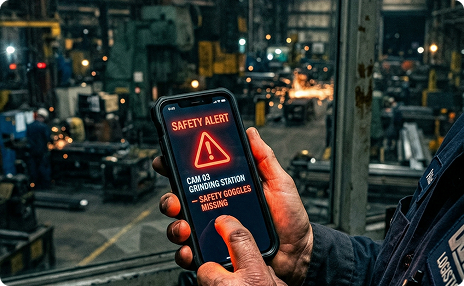
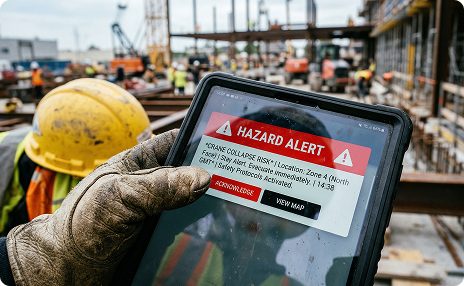
Because most tools were not originally designed for safety applications, it helps to understand their original focus. One group grew out of digital forms and replaced paper audit sheets with mobile equivalents for fast data capture, yet they are thinner on safety functions, including incident management. Another group grew out of enterprise EHS systems. These platforms are deep compliance systems of record, yet they are built around the safety professional rather than the frontline worker.
As employers face rising safety and compliance demands, the most useful question is not whether a platform can digitize a safety form. It is what the platform does to prevent the next incident. Can it guide the inspection itself, build safety into the way work is performed, deliver training in the flow of the task, coach a worker based on what is actually observed, and act on a hazard rather than only logging it? The platforms that build safety into execution operate in a different category from those that digitize a checklist or file a report after the fact.
Platforms Covered in This Guide
Digital Safety Inspection Software: Comparison at a Glance
7 platforms · 12 safety capabilities. Click a vendor to spotlight its column.
ROO.AI publishes this guide. Capabilities and limitations are shown for every platform — including ours — and ratings are sourced from G2 & Capterra.
| Capability | |||||||
|---|---|---|---|---|---|---|---|
| Mobile Safety Inspections & Checklists | ✓ | ✓ | ✓ | ✓ | ✓ | ✓ | ✓ |
| Conditional / Branching Logic | ✓ | ✓ | ✓ | ✓ | ✓ | ✓ | ✓ |
| Photo & Video Hazard Capture | ✓ | ✓ | ✓ | ✓ | ✓ | ✓ | ✓ |
| Corrective Action & Issue Tracking | ✓ | ✓ | ✓ | ◐ | ✓ | ✓ | ✓ |
| Incident Management & Investigation (RCA, CAPA) | – | – | – | – | ✓ | ✓ | ✓ |
| Built-in JSA / Risk Assessment Workflow | ✓ | ◐ | ◐ | ◐ | ✓ | ✓ | ✓ |
| Toolbox Talks & Safety Briefings | ✓ | – | – | – | ✓ | ✓ | ✓ |
| Embedded Safety Training (In-Flow) | ◐ | – | – | – | ◐ | ◐ | ✓ |
| AI-Directed In-Process Guidance | – | – | ◐ | – | ◐ | ◐ | ✓ |
| Behavioral Safety & Forced Checks (LOTO) | ◐ | – | – | – | ◐ | ✓ | ✓ |
| Personalized Safety Coaching from Observed Activity | – | – | – | – | ◐ | – | ✓ |
| Embeds Safety into Quality & Maintenance Execution | – | – | – | – | – | – | ✓ |
| Ratings · G2 / Capterra | 4.6 / 4.6 | — / 4.8 | — / — | — / 4.4 | — / 4.4 | 4.7 / — | 4.9 / 4.8 |
A 7-column table doesn’t fit a phone. Pick a platform to compare against ROO.AI.
Key: ✓ full built-in capability · ◐ limited or add-on capability · – not available or not a primary capability. Ratings note: G2 / Capterra averages are shown where a current public average could be sourced. A “–” indicates an average was not confirmed at research time, and the platform may still have reviews.
How to Choose the Right Digital Safety Inspection Software for Your Operation
Safety inspection tools are not the same, with only minor differences in features. These platforms originated as either digital forms or enterprise EHS systems, and those origins shape what each does well natively. Mobile access is a shared baseline. The first real evaluation question is scope. Are you solving a specific safety problem, or do you need a platform that embeds safety into the way work is actually done?
Check what happens around the inspection. A forms-rooted tool is quick for frontline staff to deploy, yet responding to a hazard often requires manual effort. This is basic incident reporting. Expanding to incident management is different. Ask which capabilities are native rather than approximated with a custom form. Incident investigation, incident alerts, toolbox talks, and safety training are the areas where forms and tools most often stop. The same test applies to digital job safety analysis, where a reusable template is not the same thing as a guided workflow.
For pure incident investigation and regulatory recordkeeping, EHS platforms are the most comprehensive options. When weighing an EHS system, the key question is how workers will use it. Is there a desire to embed and track safety guidance, training, and observations into daily workflows? EHS systems are built for the safety professional. The worker experience is mostly limited to reporting and acknowledgment.
Consider whether a platform can meet your safety requirements while building safety into the work itself. Can it guide inspections, embed micro-training and safety reminders into the task flow, coach the worker based on activity, and enforce critical steps such as lockout/tagout within the workflow? If the core need is operational safety executed well every day, a frontline platform that meets the safety requirements provides workers with a single digital resource for frontline safety and work. That is the distance between digitizing a safety form and building behavioral safety into work.
Digital Safety Inspection Software: Vendor Snapshots
Overview: SafetyCulture, best known for its iAuditor app, built one of the largest user bases in the category through a freemium model that put digital checklist creation in reach of any supervisor with a smartphone. For safety, it is one of the most popular fast-deployment options, with a deep template library, conditional logic and scoring, photo capture, and reliable offline mode. Over time, it has added corrective actions, a training module that delivers toolbox talks as micro-courses, a job safety analysis product, asset tracking, and AI template generation.
Best for: Teams that want fast, low-cost, easy-to-deploy safety inspections and audits across sites, particularly those making a first move off paper.
Drag-and-drop safety inspection builder with conditional logic and scoring. Offline checks with photo capture. Corrective action assignment. Training module and toolbox talks as assigned micro-courses. Job safety analysis workflows. Large template library plus AI-generated templates.
SafetyCulture is a safety inspection-and-forms platform, and that is its ceiling as well as its strength. Its incident handling is reporting-based, with customizable incident and issue templates and corrective action assignment, rather than a built-in investigation module with structured root-cause analysis. Training and toolbox talks are delivered through the training module as separate assigned micro-courses rather than embedded inside the task, there is no AI that directs the inspection in real time or coaches the worker from observed activity, and it does not run quality or maintenance execution alongside safety.
Overview: GoAudits is an audit and inspection platform used by operations, safety, and quality teams across food, hospitality, facilities, manufacturing, logistics, and healthcare. It covers a clear cycle of plan, inspect, report, act, and track. Teams run inspections on mobile with full offline support, a report generates automatically on completion, and failed items become corrective actions with owners and deadlines. It is priced to scale across large field teams without per-user blowouts.
Best for: Budget-conscious operators that want to digitize multi-site safety and compliance audits and generate instant reports without a broader safety stack.
Drag-and-drop smart form builder with conditional logic. Offline mobile auditing. Auto-generated branded PDF reports. Corrective action tracking. Scheduling and reminders. Analytics dashboards with score trends and site comparisons. More than 1,500 ready-made templates.
GoAudits is built around the checklist-to-report workflow. It does not provide incident management with investigation and root-cause analysis, only basic incident capture on a form. There is no permit-to-work, no training records, no connection from a failed check to a training assignment, no guided job safety analysis beyond a template, no toolbox talk library, and no AI that directs the inspection or coaches the worker. Teams that need a full safety program typically run a second system alongside it.
Overview: Lumiform is an AI-powered inspection and audit platform used across retail, logistics, food manufacturing, and hospitality. Frontline teams complete checks quickly on a mobile app with minimal training, even offline, while operations managers configure workflows, automate corrective actions, and analyze trends across sites. It pairs a flexible form builder with a large template library and AI that assists with capture.
Best for: Multi-site teams that want flexible, easy-to-adopt safety and quality inspections with strong configurability and AI-assisted capture.
No-code form builder with conditional branching, photo, video, and signature capture. Offline mobile checks. Issue tracking and CAPA with routing and escalation. AI photo validation and form generation from documents. Analytics dashboards. GDPR-compliant EU hosting, single sign-on, and role-based permissions.
Lumiform is fundamentally a forms-and-data platform. Of the forms group, it is one of the more capable on incidents, since you can build incident, accident, and near-miss forms with root-cause and corrective-step fields and route corrective and preventive actions, yet this is configured reporting rather than a built-in investigation module with structured root-cause analysis. There is no built-in training delivery, no guided job safety analysis workflow, and no toolbox talk library. Its AI assists with capture, such as photo validation and form generation, rather than directing the inspection or coaching the worker from observed activity.
Overview: GoCanvas is a mobile-first field operations and forms platform acquired by the Nemetschek Group in 2024. It pairs a drag-and-drop form builder with an AI PDF-to-form converter and a large library of prebuilt templates, and is widely used across construction, field service, and manufacturing for safety checks, work-order forms, and daily reports. Its strengths are offline capture, ease of use for non-technical users, and the ability to capture photos, signatures, GPS data, and barcodes.
Best for: Construction, field service, and distributed teams that want to replace paper safety forms with flexible mobile data collection and clean reports, particularly in low-connectivity environments.
Drag-and-drop mobile form builder with an AI PDF converter. Conditional logic and offline data capture. Photo, signature, GPS, and barcode capture. Large prebuilt template library. Integrations and exports to back-office systems.
GoCanvas is a forms-and-data-collection platform at its core. Corrective handling is task assignment rather than full issue management, and incident handling is form-based capture rather than incident management with investigation and root-cause analysis. It does not provide native safety training, a guided job safety analysis workflow, a toolbox talk library, AI that directs inspections, or coaching based on observed activity, and reviewers note that the depth of reporting and analytics is limited.
Overview: VelocityEHS is an enterprise EHS and sustainability platform relied on by a large share of the Fortune Global 1000 and used to protect more than ten million workers. Its Accelerate Platform unifies Safety, Ergonomics, Chemical Management, and Operational Risk, with additional solutions for Contractor Safety and Permit to Work, Environmental Compliance, and Sustainability. The safety side carries incident management with in-depth investigation and root-cause analysis, audits, inspections, behavior-based observations, job safety analysis, safety meetings, and a Training and Learning library, with strong US regulatory and process-safety depth.
Best for: Enterprises that need deep EHS compliance, chemical management, and regulatory recordkeeping across many sites, especially under US process-safety requirements.
Incident management with structured investigation and root-cause analysis. Audits, inspections, and behavior-based observations. Job safety analysis and risk tools. Safety meetings. Training and Learning LMS with a broad course library. VelocityAI and the Vēlo assistant, plus AI ergonomic motion capture from worker video and serious-injury-and-fatality detection. Chemical management and SDS.
VelocityEHS is built as a system of record for the EHS professional. Reviewers note a learning curve and that the breadth can feel overwhelming, enterprise deployments commonly run long, and the mobile app is more limited than the desktop. Its AI and guidance are aimed at the safety professional rather than directing the frontline worker in the moment. Its coaching signal is strongest in ergonomics, where computer vision assesses a worker from uploaded video, but that is an assessment for the ergonomist rather than in-flow coaching delivered to the worker. Training is a separate library rather than embedded in the task, and its scope is EHS rather than quality or maintenance execution.
Overview: EHS Insight is a cloud EHS and quality management platform used by safety and sustainability teams across manufacturing, construction, energy, healthcare, and logistics. It unifies incident management, audits and inspections, risk, behavior-based safety, safety drills, training, change management, and SDS in one place, with a mobile app that works offline. It has invested heavily in AI and added a direct connection to large language model assistants.
Best for: Mid-market and growing organizations that want a single, accessible EHS platform to manage incidents, audits, behavior-based safety, and training without legacy-system complexity.
Incident management and investigation with root-cause tools and OSHA 300, 300A, and 301 support. Audits, inspections, and digital checklists. Behavior-based safety and safety drills. Training with a large external course library. AI Copilot, AI SDS Copilot, AI CAPA recommendations, and field suggestions. Mobile app with offline access.
EHS Insight is designed for safety officers and compliance professionals as a system of record. Some reviewers find parts of the feature set redundant for their specific KPIs and note setup complexity. Its AI assists the safety professional with data quality, drafting, and gap detection rather than directing the worker through an inspection in real time, training is delivered as separate assigned courses rather than embedded in the task, and its scope centers on EHS and quality records rather than embedding safety processes and training into frontline work such as maintenance and production execution.
Overview: ROO.AI is a Frontline AI Platform that operationalizes artificial intelligence inside daily frontline work. Its defining strength is breadth with worker-first design. Rather than treating safety as a separate reporting system, ROO.AI runs safety inspections alongside quality and maintenance on a single platform and applies the same visual, AI-guided workflows across all of them. It meets the safety requirements with incident reporting and management, job safety analysis, safety inspections and behavioral safety coaching. It also enables building safety into the work itself with forced critical safety steps such as lockout/tagout inside the workflow, embedded rich-media safety micro-training in the flow of the task and AI-directed guidance at the point of work. It is recognized as a Top Manufacturing Connected Worker Platform for 2026 by Manufacturing Technology Insights and a Top Ten Manufacturing Solution for 2025 by Manufacturing Business Outlook.
Best for: Operations that want a single, worker-first platform that meets their safety requirements and also covers the broader set of frontline tasks, embedding safety guidance, training, and monitoring into everyday work across safety, quality, maintenance, and production rather than running safety as a separate system. A strong fit for teams that value adoption and a better user experience across functions and industries. See what changes when micro-training in the flow of work replaces the separate course.
Visual, AI-directed safety workflows with in-process branching and guidance. Digitalized job safety analysis and hazard reporting. Forced critical safety checks such as lockout/tagout embedded in the workflow. Embedded rich-media micro-training and on-demand safety tips in the flow of work. Behavioral safety with AI coaching from monitoring and vision systems. One platform spanning safety, quality, and maintenance, with incident traceability and corrective action. Concierge digitalization service.
ROO.AI is built to bring safety, guidance, training, and monitoring into frontline work rather than to serve as a deep regulatory EHS system of record. It provides the incident management, investigation, and corrective-action functionality most operations need, and some customers have run their safety program on it in place of a traditional EHS system, but a dedicated EHS suite still goes further on formal incident-investigation depth, chemical management, environmental compliance, and enterprise regulatory recordkeeping. There is no current self-authoring tool for workflow creation, since ROO.AI uses a concierge service to build workflows as part of its subscription, which suits departmental or organizational programs more than small do-it-yourself paper-checklist replacements. The company reports that an AI-based self-authoring function is on the roadmap.
Safety inspections and behavioral safety on one frontline platform. ROO.AI Frontline AI Platform for safety
Frequently Asked Questions
Digital safety inspection software is a category of platforms that guide frontline workers through workplace safety inspections, audits, and hazard checks on mobile devices, replacing paper checklists with structured, traceable digital records. It is also called safety audit software, EHS inspection software, or mobile safety checklist apps, and it ranges from simple checklists to AI-guided platforms that build prevention into daily work. Leading platforms in 2026 include SafetyCulture, GoAudits, Lumiform, GoCanvas, VelocityEHS, EHS Insight, and ROO.AI.
The leading digital safety inspection platforms for 2026 include SafetyCulture (fast safety checklists and audits), GoAudits (affordable multi-site safety and compliance audits), Lumiform (flexible safety and quality inspections), GoCanvas (mobile safety forms for construction and field service), VelocityEHS (enterprise EHS compliance and recordkeeping), EHS Insight (mid-market EHS program management and behavior-based safety), and ROO.AI (safety built into daily frontline work across safety, quality, and maintenance). The best fit depends on whether you need a single inspection capability, a full EHS program of record, or safety embedded into how work is performed.
They differ more than they appear to. Most trace back to one of two origins, namely digital forms and checklists or enterprise EHS systems, and that origin determines what each does natively and where its ceiling is. Forms tools are fast and easy to adopt but thinner on incident management, safety training, job safety analysis, and toolbox talks. EHS systems are deep on compliance and recordkeeping but heavier to deploy and built for the safety professional rather than the worker. The comparison in this guide rates platforms across 12 safety-focused dimensions, revealing differences between tools that look similar at first glance.
Start with scope. Do you need to digitize one safety check, run a full EHS program, or build safety into how work gets done? Then evaluate native versus add-on capability for incident management and investigation, job safety analysis, toolbox talks, and safety training, since native integration matters more than a long feature list. Evaluate what happens around the inspection, meaning whether a hazard is acted on and verified rather than only logged. Finally, weigh worker experience, because simple, visual usability is the strongest driver of frontline adoption.
A safety forms app digitizes checklists and reports, and is fast to deploy and easy for frontline staff, but it typically stops short of incident investigation, safety training, and a guided job safety analysis. An EHS system is a deeper system of record that manages incidents, compliance, behavior-based safety, and recordkeeping, but is heavier to deploy and is built around the safety professional. A platform such as ROO.AI takes a third path, offering comprehensive behavioral safety capabilities and then building safety into the execution of work with AI-directed guidance and embedded training, while running alongside quality and maintenance on one frontline platform. For more on what is a frontline AI platform, see the ROO.AI platform overview.
AI is used in two different ways, and the difference matters. Most EHS systems and several forms tools apply AI to assist the safety professional, for example by drafting incident reports, summarizing data, recommending corrective actions, or flagging serious-injury risk patterns. A smaller number apply AI to direct the worker in the moment, branching the inspection based on responses, coaching behavior, and validating evidence at the point of work. When AI directs the inspection itself and delivers training in the flow of the task, a less-experienced worker can perform more like an experienced one.
It depends on the scope you need. A dedicated EHS suite leads on the deepest regulatory recordkeeping, chemical management, environmental compliance, and formal incident investigation. For operations whose core need is operational safety executed well every day, a frontline platform can meet the safety requirements while also guiding work, embedding training, and monitoring behavior across the broader set of frontline tasks. Some operations have consolidated onto a frontline platform, such as ROO.AI, in place of a standalone EHS system, while others run digital safety inspections alongside an existing EHS system to extend prevention into the flow of work.